Automatic import
Forward your ScheduleFly, 7shifts or Homebase email once — new shifts post themselves. No inbox connection.
SCHEDULE INTELLIGENCE FOR SHIFT WORKERS
The schedule email you already get becomes a clean calendar that keeps itself current — with your hours, your estimated pay, and a reminder before every shift.
Free in early access · No ads · We never read your inbox
Time, place and any note, front and centre.
Shifts, hours and estimated pay together.
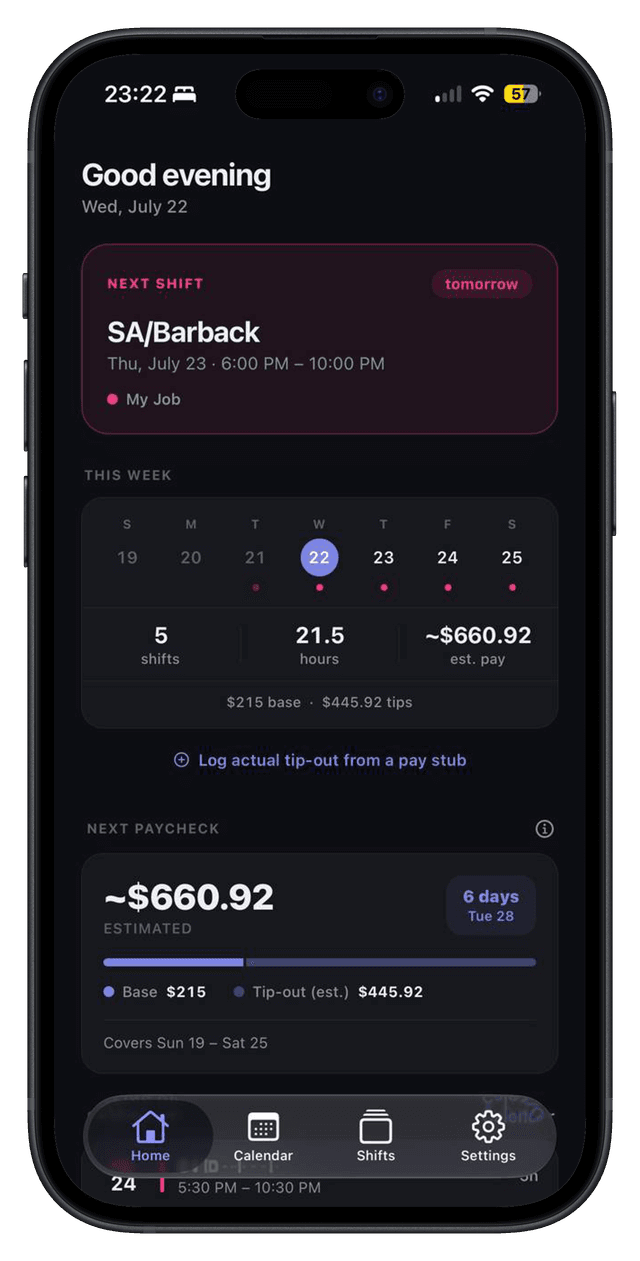
Base, overtime, premiums and tip-out.
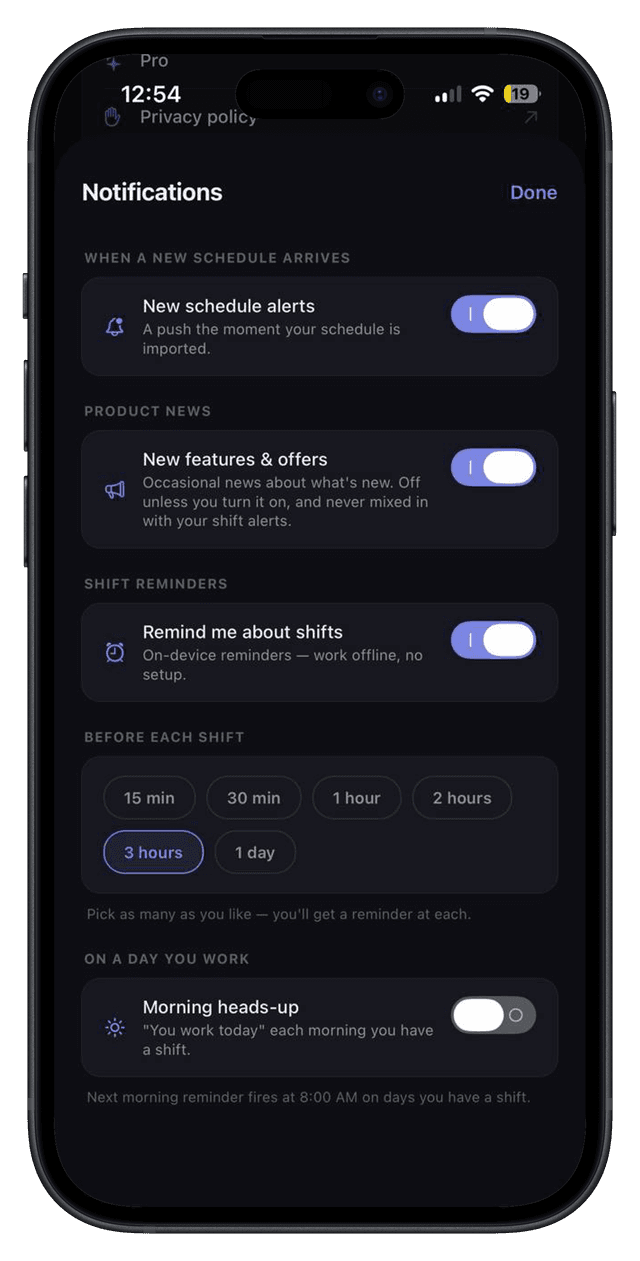
So one never sneaks up on you.
EVERYTHING IT DOES
Forward your ScheduleFly, 7shifts or Homebase email once — new shifts post themselves. No inbox connection.
4-on-4-off, Pitman, DuPont, or your own. Set the start day and months of shifts fill in.
Overtime past 40, night and weekend premiums, and unpaid breaks — added up before payday.
Calibrate once from a real pay stub and every shift carries a tip-out estimate.
A live, read-only feed into Apple, Google or Outlook — nothing you tap there changes your schedule.
Track the hours you actually worked, kept apart from the plan, with breaks subtracted.
Anchored to a recent pay stub so your paid-time-off balance agrees with payroll.
A notification before every shift, and the schedule updates itself in the background.
No email? Snap a photo of the posted schedule and it reads the shifts off it.
Download a CSV or PDF of your hours and pay — for taxes, or a disputed check.
Separate colours, pay rules and tip-out per job — the totals stay untangled.
Pay, tip-out and schedule live only on your account. Never shared with an employer, never sold.
SEE YOUR WEEK, AND WHAT IT PAYS
Every shift carries its own pay rules, so the home screen counts your next paycheck for you: base, overtime, premiums and tip-out, itemised before payday.
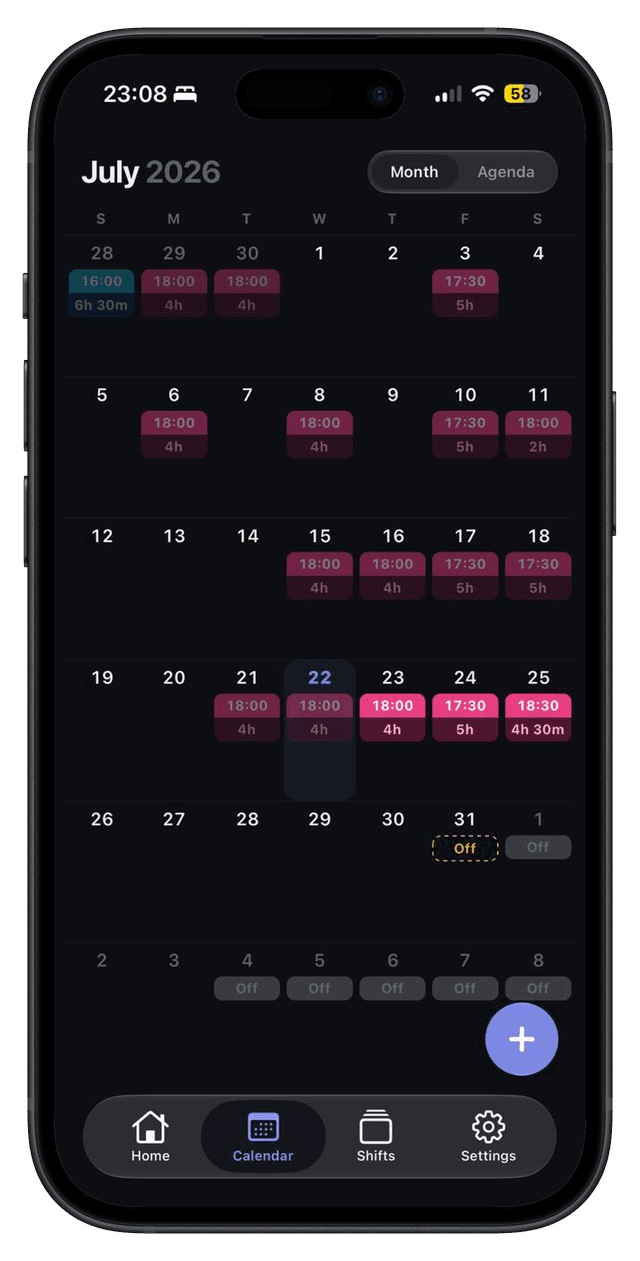
Forward the schedule email you already get to your private ShiftPilot address once. Every schedule that arrives after that posts itself into the app, and into Apple, Google or Outlook Calendar if you turn on calendar sync.
No. There is no inbox connection and no mailbox permission to grant. You forward the schedule emails you choose, and nothing else is ever visible to us.
ScheduleFly, 7shifts and Homebase are read directly. Anything else falls back to an AI parser that reads the shifts out of the email, so an unusual system usually still works — and if it doesn't, you can photograph the posted schedule instead.
Yes. Calibrate once from a real pay stub and every shift carries a tip-out estimate, kept separate from base pay so you can see what each is worth.
Yes. Pick 4-on-4-off, Pitman, DuPont or build your own pattern, set the day it starts, and months of shifts fill in ahead of you.
Overtime is applied weekly past 40 hours, and you can set night and weekend premiums plus unpaid breaks per job. The total is worked out before payday, so a wrong check is something you notice.
Yes. Each job keeps its own colour, pay rate, premiums and tip-out rules, and the totals stay separated rather than merged into one number.
It's free during early access, with no ads and nothing sold on. Some features are marked Pro and will be part of a paid plan later; anyone using it now keeps access through the beta.
Built for restaurants, nursing, warehouse, retail and care — anywhere shifts run.